No spreadsheets. No mental math.
Split expenses. Settle up. Done.
The shared expense tracker for trips, roommates, couples and friends. Add what you paid and who it was for, and Split & Done works out who owes whom, down to the cent.

Free · No ads · Android & web Coming soon on iOS
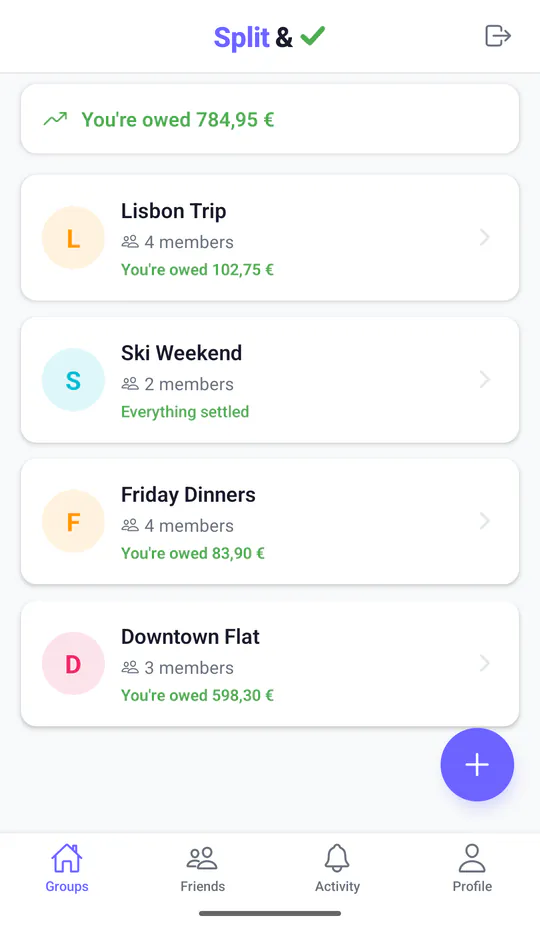
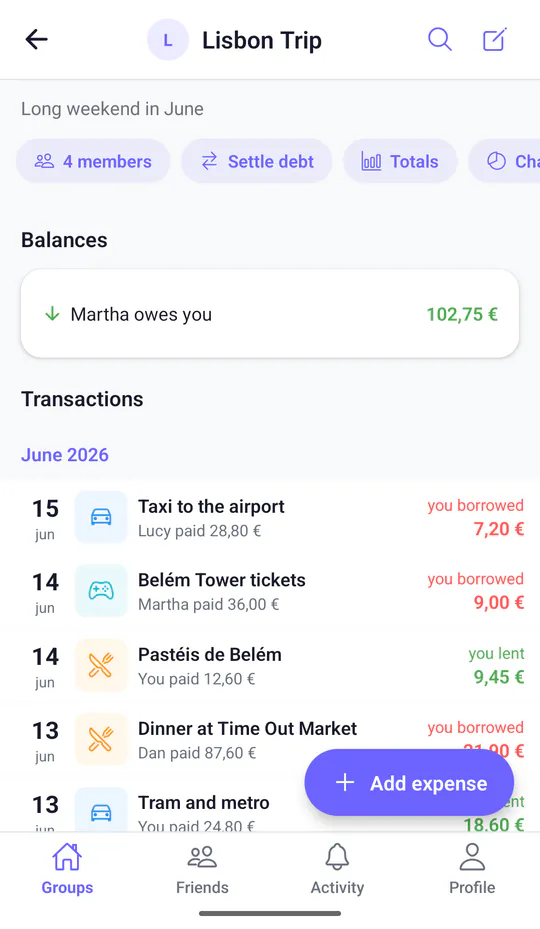
How to split expenses in three steps
-
Split
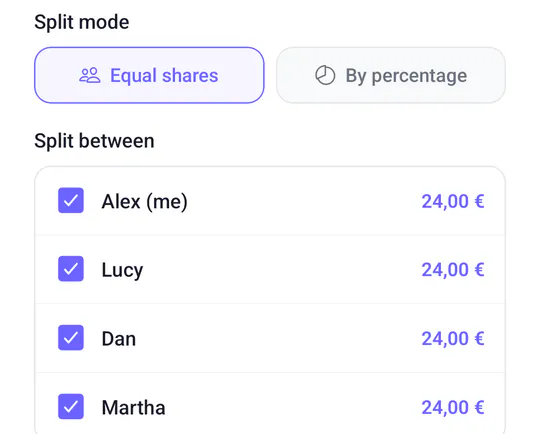
Add what you paid
What it cost, who paid and who it was for. Split it in equal shares or by percentage.
-
Settle
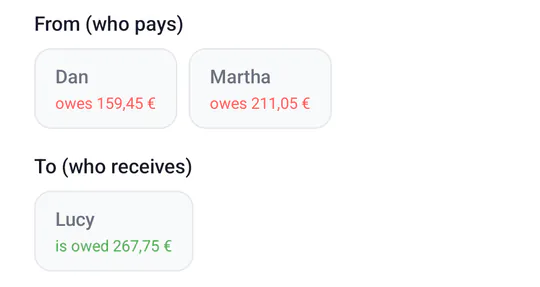
See who owes whom
Balances update as you go. When someone pays up — by bank transfer, cash or however you like — record it and the numbers follow. Money never moves through the app.
-
Done
Everything settled
When the balances reach zero, the group says so. A settled group that stays quiet steps aside on its own, and comes back if something new comes up.

Split bills with friends, roommates, couples and on trips
Dinner was easy. Splitting it should be too.
-
Group trips
Travel expenses like flights, rooms, dinners and taxis, each paid by someone different — in more than one currency if you cross a border. Settle up once you're home.
-
Friends
Dinners, concerts, birthday presents. Split the bill with friends and keep a running tab, instead of settling up every time.
-
Couples
Share costs 50/50 or by percentage, whatever feels fair to you both, without keeping score in your head.
-
Roommates
Split rent, bills, groceries and cleaning supplies. Everyone sees what's been paid and what's still owed, month after month.
Shared expenses, easy to trust
-
Everyone sees the same numbers. And how they got there.
Every expense and payment has its own comments and a history of changes, so nothing gets edited quietly.
-
Updates as they happen
When someone adds an expense or records a payment, the balances update for everyone in the group.
-
Not everyone needs an account
Add someone by name and include them in the split. Perfect for the friend who won't install another app.
-
Every cent accounted for
Equal and percentage splits always add up to the total. No mystery cents left over.
Who owes whom, at a glance
Real screens from Split & Done.
-
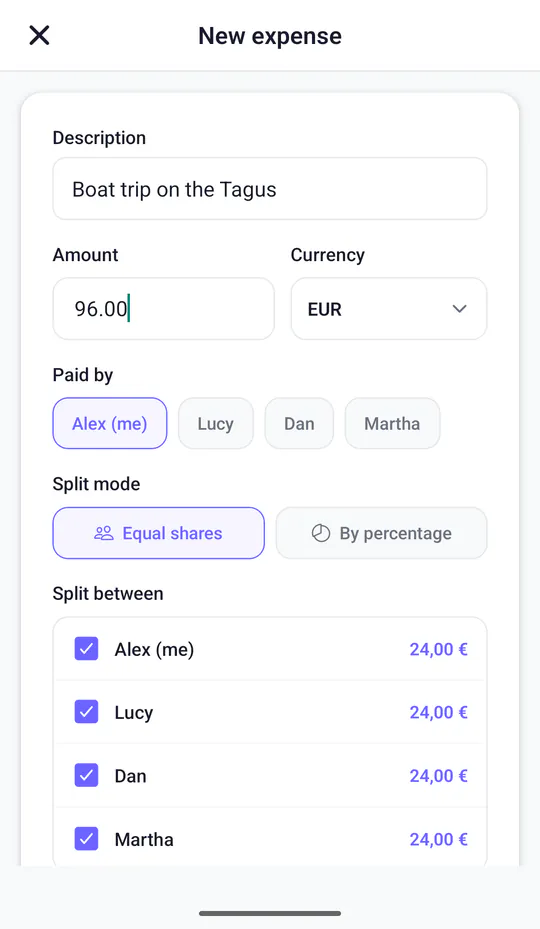
Add an expense
Who paid, how much, and who shares it.
-
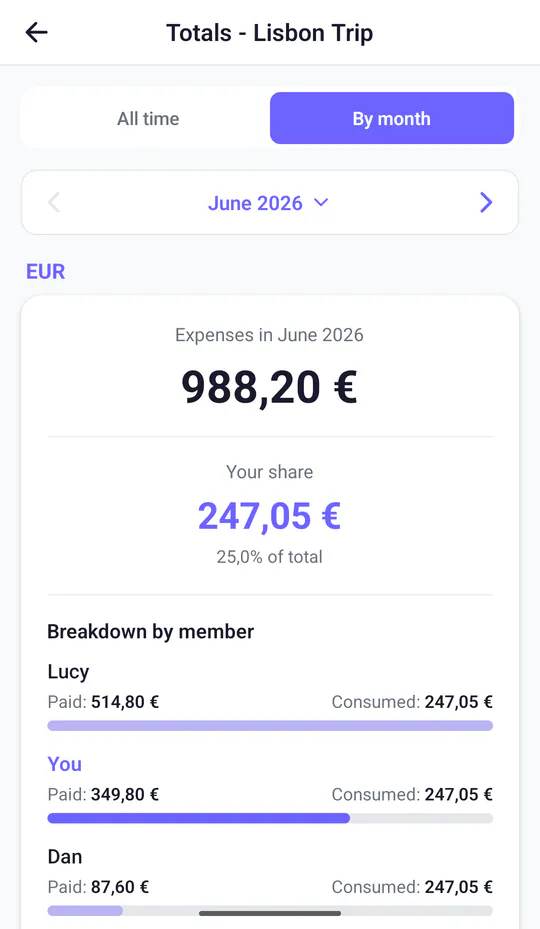
Paid and consumed
What each person paid this month, and what their share really was.
-
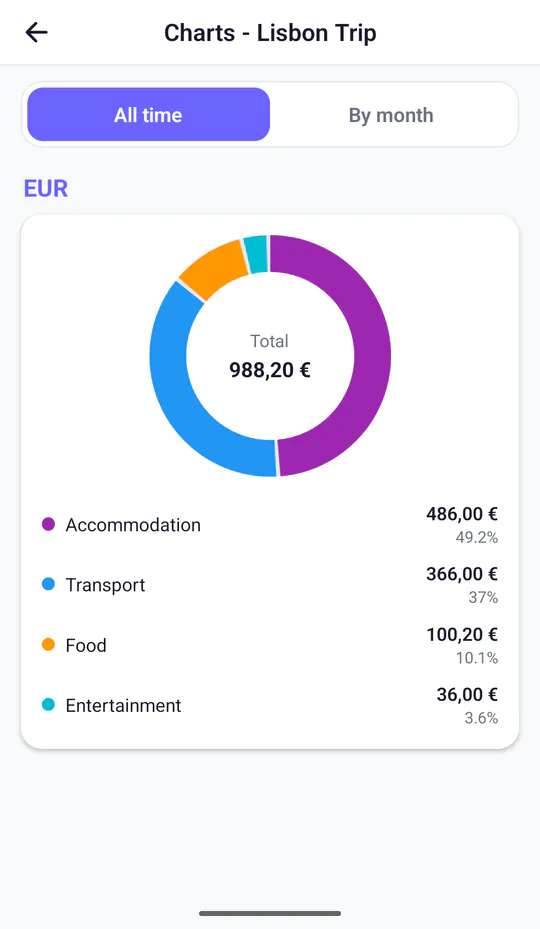
Where the money went
Spending by category, for the whole trip or month by month.
Small details that make splitting easy
-
Smart categories
Type “taxi” or “dinner” and the category picks itself.
-
Multiple currencies
Euros and dollars on the same trip? Each currency keeps its own balance.
-
Comments on everything
Add context to any expense or payment, right where it happened.
-
Spending insights
Charts by category and monthly totals for each person.
-
Invite with a link
Share it on WhatsApp, by text or email — or add friends to the group in one tap.
-
Export to CSV
Take any group's expenses with you, whenever you want.
-
Resting groups
Settled and quiet for a month? The group rests until something new happens. Done means done.
-
Dark mode
Easy on the eyes, day or night.
Your expenses are your business.
Split & Done asks only for what it needs to work: your name and an email address. A phone number is optional.
Read the privacy policy-
No ads, no behavioral tracking
No advertising, no third-party behavioral tracking, and your data is never sold.
-
Contact details stay private
Groups see your name. Your email and phone number are only shown to people you've accepted as friends.
-
Your data, in your hands
Export any group's expenses as a CSV file at any time.
-
Delete means delete
Delete your account from the app and your personal data goes with it. Shared expenses stay, anonymized, so your friends' balances still add up.
Splitting expenses: questions, answered
Does Split & Done move money?
No. Split & Done keeps track of who owes what. You pay each other however you like — bank transfer, cash, a payment app — and record it in the group so the balances stay right.
Does everyone in the group need an account?
No. You can add people by name and include them in expenses. They don't sign in; the rest of the group keeps their share up to date.
Can I use it on a trip abroad?
Yes. Each expense can be in its own currency and each currency keeps a separate balance. Split & Done doesn't convert between currencies.
Is there an iPhone app?
Not yet — the iOS app is coming soon. In the meantime, Split & Done works in any browser, including Safari on iPhone.
Who can see my expenses?
Only the members of each group.
How do I split an expense unevenly?
Choose percentages instead of equal shares: 60/40, 70/30 or whatever you agree on. Split & Done makes sure the shares always add up to the total.
How do I split rent and bills with roommates?
Create a group for your shared home and add each bill when someone pays it: rent, electricity, groceries. If the rooms aren't the same, split by percentage. Monthly totals show what each person paid and what their share was.
How does Split & Done work out who owes whom?
It adds up what each person paid and their share of each expense, per currency, and takes recorded payments into account. Balances update for everyone as soon as something changes.
Guides to splitting costs fairly
Methods, worked examples and the questions to agree on first. Useful whether or not you use an app.
-
Splitting trip expenses
Four methods, a worked example, and what to do when not everyone joins in.
-
Splitting rent
Equal, by room size or hybrid, plus bills, groceries and the deposit.
-
Couples: 50/50 or by income
How a proportional split works, with the numbers side by side.
-
Split bill calculator
Split one bill evenly, by percentage or by income, exact to the cent. No sign-up.

Split. Settle. Done.
Your next shared bill is a good place to start.
Free · No ads · Android & web Coming soon on iOS